

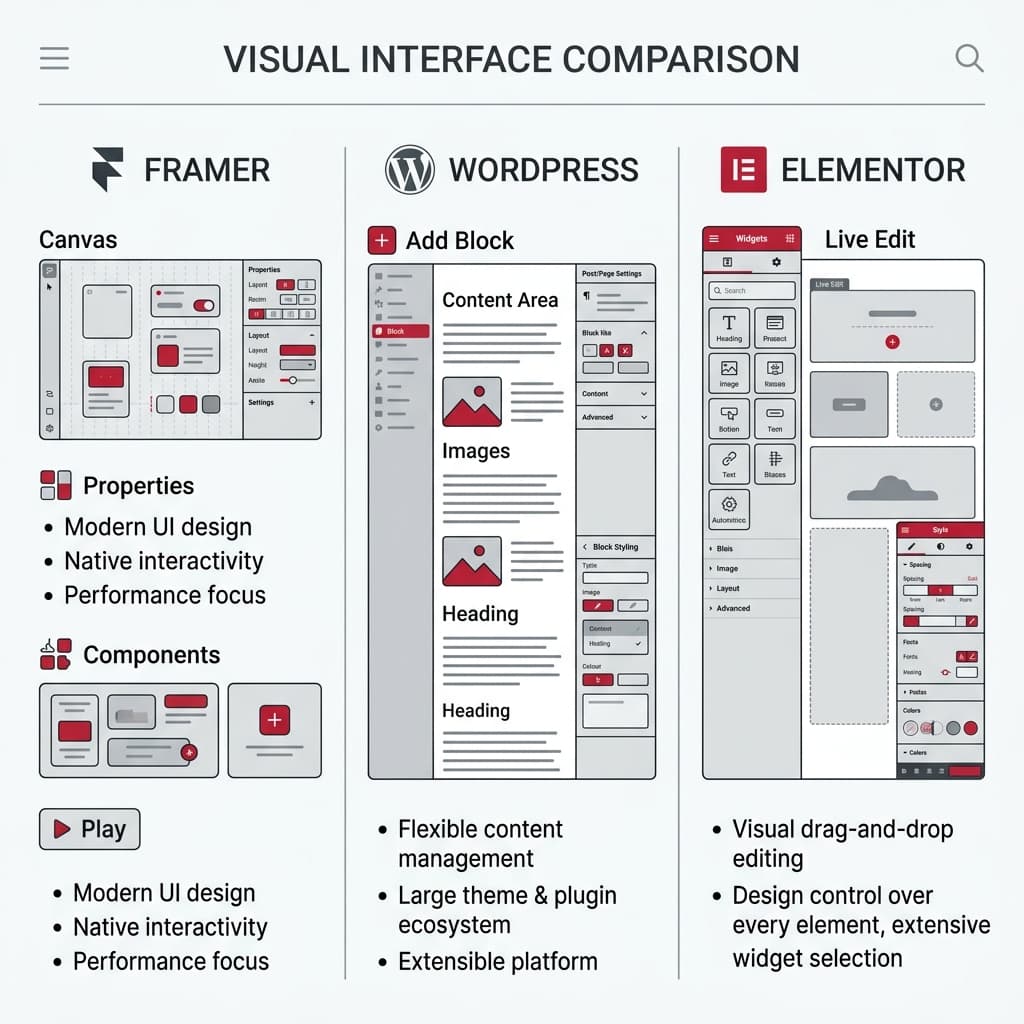
Executive Summary & Architectural Takeaways
- DOM Bloat & Runtime Performance: Legacy Elementor templates routinely generate 2,200+ DOM nodes per page due to deeply nested
divwrappers, degrading mobile INP and LCP metrics. Native WordPress (Block Editor / Headless) outputs clean semantic HTML with 350–650 DOM nodes. - Framer's Design Velocity vs. Enterprise Ceilings: Framer excels at rapid Figma-like prototyping and 60fps micro-interactions for SaaS marketing sites. However, its flat CMS limits, per-locale subscription surcharges, lack of native e-commerce, and zero code exportability make it unsuitable for complex enterprise architectures.
- Data Sovereignty & Technical SEO: Because Framer is a closed-source SaaS with no code export, organizations seeking 100% intellectual property ownership, relational data modeling, and international programmatic SEO rely on clean WordPress or custom Next.js architectures.
When evaluating Framer vs WordPress vs Elementor in 2026, engineering and growth leaders are not merely choosing a visual layout editor; they are selecting a frontend rendering engine, a DOM tree topology, a content database architecture, and a long-term organic search foundation. On one side stands Framer, a closed-source React canvas SaaS built for design speed; on the other stands WordPress Core, the open-source content engine powering over 43% of the web; and in between sits Elementor, a visual drag-and-drop abstraction layer running inside WordPress.
In this comprehensive engineering benchmark, we evaluate all three platforms across HTML/CSS output efficiency, Core Web Vitals (LCP, INP, CLS), multi-locale SEO economics, security surface area, and enterprise CMS extensibility.
1. Three Distinct Architectural Paradigms: How They Work Under the Hood
While all three tools market themselves as visual website builders, their underlying execution models differ fundamentally.
1. Framer: Closed-Source React & Motion Canvas SaaS
Framer translates a freeform, Figma-style design canvas directly into pre-rendered React 18+ and Framer Motion bundles hosted on managed AWS/Cloudflare edge infrastructure. Pages are delivered as server-rendered HTML and hydrated on the client browser to power interactive animations.
- Engineering Strength: Zero DevOps overhead, automatic image optimization (WebP/AVIF), global CDN distribution, and fluid hardware-accelerated animations out of the box.
- Engineering Constraint: Non-relational flat CMS collections, strict item/collection quotas, compounding per-locale monthly fees, and complete vendor lock-in (zero source code export).
2. Native WordPress Core (Gutenberg Block Architecture & Headless)
Modern WordPress without heavy third-party visual page builders—utilizing either native Full Site Editing (Gutenberg atomic blocks) or a decoupled WPGraphQL / REST API + Next.js frontend.
- Engineering Strength: Clean semantic HTML5 output free of wrapper bloat, Custom Post Types (CPTs), deep relational taxonomies, full SQL index and Redis cache control, and 100% open-source data sovereignty.
- Engineering Constraint: Requires disciplined cloud architecture (Nginx FastCGI, PHP 8.3+, Redis, WAF) rather than cheap shared hosting to achieve peak performance.
3. Elementor: Visual DOM Builder Plugin on Top of WordPress
Elementor is not a standalone CMS; it is a monolithic WordPress plugin that serializes layout configurations into JSON/postmeta and renders them into deeply nested HTML structures accompanied by external CSS and JavaScript libraries.
- Engineering Strength: Extensive widget library and familiar drag-and-drop interface for non-technical marketers.
- Engineering Constraint: Severe DOM tree inflation, ratusan kilobytes of render-blocking CSS/JS assets, third-party addon conflicts, and high maintenance debt during major updates.
2. Deep Technical Comparison Matrix (2026)
The table below benchmarks Framer, Native WordPress, and Elementor across 12 engineering and SEO dimensions:
| Architectural Dimension | Framer (Managed SaaS) | WordPress Core (Blocks / Headless) | WordPress + Elementor |
|---|---|---|---|
| Rendering Runtime | React SSR + Client Hydration (SaaS) | PHP 8.3+ / MariaDB + Redis (or Next.js) | WordPress + Heavy PHP/JS Plugin Layer |
| Average DOM Nodes / Page | 700 – 1,200 nodes | 350 – 650 nodes (Cleanest) | 1,800 – 3,200+ nodes (Severe DOM Bloat) |
| CSS & JS Payload Size | Medium-High (React + Motion runtime) | Ultra-Low (<45 KB critical CSS/JS) | High (300 KB – 800 KB+ CSS/JS bundles) |
| Mobile LCP (Largest Contentful Paint) | 1.4s – 2.2s | 0.8s – 1.4s | 2.6s – 4.5s+ (Without aggressive optimization) |
| Mobile INP (Interaction Latency) | 120ms – 240ms (Spikes on heavy motion) | <80ms (Minimal main-thread blocking) | 220ms – 450ms+ |
| CMS & Relational Data Modeling | Restricted (Flat collections, item caps) | Unlimited (CPTs, custom tables, SQL joins) | WordPress-backed (But coupled to heavy templates) |
| Multi-Locale (6 Languages) Cost | Recurring monthly surcharge per locale | Free / Flat cost for unlimited locales | Plugin-dependent; high template duplication overhead |
| E-Commerce Capabilities | None native (Third-party embeds only) | Full Enterprise Stack (WooCommerce HPOS) | WooCommerce supported, but slow checkout DOM |
| Technical SEO & Schema Control | Basic meta/sitemap; limited edge header rules | 100% Control (Programmatic SEO, JSON-LD) | Good metadata, but penalized by slow CWV |
| Backend & ERP Integration | Client-side fetch / Webhooks only | Full Server-Side Execution (ERP, CRM, APIs) | Full WordPress PHP hook access |
| Code & Data Portability | Zero (No HTML/React code export) | 100% Open-Source & Portable | Partial (Locked into Elementor JSON/shortcodes) |
| Optimal Use Case | Startup landing pages, design portfolios | Enterprise portals, multi-locale SEO, scale | Small business brochure websites |
3. DOM Bloat, CSS Output & Core Web Vitals Inspection
Google Lighthouse and Chrome User Experience Report (CrUX) guidelines recommend keeping total page DOM nodes below 800 and maximum DOM depth under 32 levels. Let us inspect the actual HTML generated for a simple hero heading block across platforms:
<!-- 1. LEGACY ELEMENTOR OUTPUT (Excessive Wrapper Nesting) -->
<section class="elementor-section elementor-top-section elementor-element">
  <div class="elementor-container elementor-column-gap-default">
    <div class="elementor-column elementor-col-100 elementor-top-column">
      <div class="elementor-widget-wrap elementor-element-populated">
        <div class="elementor-element elementor-widget elementor-widget-heading">
          <div class="elementor-widget-container">
            <h2 class="elementor-heading-title">Enterprise Architecture</h2>
          </div>
        </div>
      </div>
    </div>
  </div>
</section>
<!-- 2. NATIVE WORDPRESS CORE / CUSTOM ATOMIC OUTPUT (Clean Semantic HTML) -->
<section class="hero-card">
  <h2>Enterprise Architecture</h2>
</section>
Why DOM Topology Directly Impacts Rankings & Conversions
- Browser Style Recalculation Overhead: Every time a user scrolls or taps an interactive element on mobile, the browser recalculates layout styles across the DOM tree. On a 3,000-node Elementor page, style recalculation blocks the main thread, pushing INP (Interaction to Next Paint) past Google's 200ms threshold.
- Framer's Hydration & Motion Tax: While Framer avoids legacy PHP bloat, every visual layer is compiled into nested positioning wrappers managed by React and Framer Motion. Overusing scroll-bound parallax effects and
backdrop-filter: blur()layers causes significant GPU and main-thread contention on mid-range mobile devices. - Semantic Clarity for Search & AI Crawlers (GEO): Search bots and LLM crawlers parse clean semantic HTML (
,,,) far more efficiently than deeply nested utility wrappers.
4. Enterprise CMS Extensibility, Multi-Locale Economics & TCO
For a 5-page single-language marketing site, platform limitations rarely surface. However, as an organization scales internationally, three structural bottlenecks emerge:
The Multi-Locale Pricing Trap on Framer
Framer charges a recurring monthly fee for every additional localization language (locale) added to your project. For a global brand operating across 6 languages (
tr,en,es,fr,ar,ru) with thousands of localized articles and landing pages, Framer's subscription costs escalate rapidly while hitting hard CMS collection item ceilings.Relational Content Modeling vs. Flat Collections
Consider an enterprise B2B platform that requires bidirectional relationships between Services <-> Industries <-> Case Studies <-> Engineering Authors <-> Dynamic FAQs:
- Framer CMS: Designed around flat spreadsheet-like collections. While basic item references exist, it cannot execute complex multi-taxonomy server-side joins, dynamic faceted filtering, or custom SQL aggregations.
- WordPress Core / Custom Architecture: Supports unlimited Custom Post Types, relational database schemas, custom REST/GraphQL endpoints, and programmatic page generation without artificial row limits.
5. Decision Framework: Which Platform Should You Choose in 2026?
Architectural Selection Rule
Choose your web platform based on your 36-month content scale, international SEO roadmap, and integration complexity—not just how quickly a designer can drag a box onto a canvas on day one.
Choose Framer If:
- You are launching a startup MVP, design portfolio, or single-language SaaS campaign page within days and want Figma-like visual freedom,
- You do not require native e-commerce, complex backend ERP integrations, or large-scale multi-locale programmatic SEO,
- You accept SaaS vendor lock-in knowing the codebase cannot be exported later.
Choose Elementor If:
- You are building a low-budget, low-complexity local business brochure site using pre-made templates where top-tier Core Web Vitals and custom engineering are not required.
Choose Native WordPress Core or Custom Next.js Architecture If:
- Technical SEO, sub-100ms TTFB, and green Core Web Vitals are primary drivers of your customer acquisition strategy,
- You operate a multi-language (6+ locales with full RTL support), content-rich platform with interconnected schemas and high traffic volume,
- You demand 100% code and data ownership, enterprise security, and seamless backend extensibility.
At Kling Digital, we eliminate the performance bottlenecks of bloated page builders and the scaling limits of closed SaaS tools. We engineer high-converting platforms through our enterprise web design services, SEO and digital marketing, and custom software development. Contact our architecture team to migrate your legacy Elementor or Framer site into a blazing-fast, future-proof digital flagship.
Frequently Asked Questions
Frequently asked questions regarding this guide.
Back to NewsSharePrevious PostChoosing the Right Domain Name Extension (2026): Technical SEO, DNS Security & Brand Protection GuideNext PostAI-Assisted SEO Automation (2026): Programmatic Content Workflows, Human-in-the-Loop Governance & Helpful Content ComplianceComments (0)
Share your thoughts and insights with the community.
No comments yet. Be the first to share your thoughts!
Leave a Comment
Your comment will be published after administrator approval.
Topical Authority & Internal Resource HubRelated Architecture Benchmarks, Pillar Guides & Digital Tools
Rigorous benchmark matrices, in-depth B2B engineering guides, and interactive calculators to support your technical decision-making.
Read Full Benchmark AnalysisTechnical BenchmarkNext.js vs WordPress Benchmark
Sub-second load times, zero plugin vulnerabilities, and TCO breakdown.
Read Full Benchmark AnalysisArchitectural BenchmarkFramer vs Next.js Architectural Comparison
Visual design tools versus sovereign enterprise full-stack software.
In-Depth B2B Engineering & Pricing Guides
Free Interactive Calculation & Audit Tools
Project Cost & Budget Calculator
Calculate transparent software and web design estimates tailored to your scope.
Speed & Core Web Vitals Analyzer
Benchmark your current website's LCP, CLS, and server response times live.
Domain & Technical SEO Audit
Inspect meta tags, canonical architecture, and search indexing readiness.
Portfolio & Technical Case Studies
Review real interface captures and architectural outcomes across delivered enterprise projects.
Complementary Architecture Services & Regional Hubs
Cohesive end-to-end enterprise digital engineering and regional delivery.
View AllRecent Articles
Our latest technology, design, and software guides.