
Key Takeaways
- Official Meta OAuth Integration: Meta's Model Context Protocol (MCP) connector launched on April 29, 2026 (
mcp.facebook.com/ads) eliminates risky third-party API tokens, enabling secure, read-only data synchronization. - Autonomous Budget & Ad Analytics: Claude analyzes spend leaks, saturated demographics, and frequency fatigue in real-time across campaigns, ad sets, and creatives.
- Zero-Trust Security Standard: By default, the integration operates in read-only mode, and newly drafted campaigns always launch in a paused state, preserving strict human oversight.
The Claude Meta Ads MCP integration is an official, secure data protocol enabling Anthropic's Claude AI assistant to connect directly to Meta Business Suite ad accounts via the Model Context Protocol (MCP) to autonomously audit campaign efficiency, return on ad spend (ROAS), and budget allocation.
Historically, growth marketers spent hours exporting CSV files from Ads Manager and building complex pivot tables to diagnose budget drains. As of 2026, the Model Context Protocol architecture elevates conversational AI into an autonomous analytics engineer connected directly to live enterprise data pipelines.
1. What is Model Context Protocol (MCP) and How Does It Transform Ad Management?
Model Context Protocol (MCP) is an open standard allowing Large Language Models (LLMs) to communicate with external APIs, databases, and enterprise services through standardized context bridges. Through this protocol, Claude securely navigates within the authenticated boundaries of your Meta Business Suite account.
- Live Campaign Telemetry: Real-time visibility into all ad sets, impressions, clicks, spend, conversions, and ROAS.
- Deep Correlation Audits: Instantly uncovers which creative assets bleed budget and which demographic segments generate the lowest Cost Per Acquisition (CPA).
- Official Meta OAuth Architecture: Rolled out on April 29, 2026, eliminating manual developer token management or risky third-party scrapers.
- Read-Only Security Guardrails: Claude acts purely as an analytical co-pilot; it cannot escalate budgets or alter live campaigns without explicit confirmation.
Legacy Third-Party Integrations vs. Official Meta MCP Architecture
| Metric / Dimension | Legacy Manual & 3rd-Party API Tokens | Official Meta Ads MCP Standard (2026) |
|---|---|---|
| Authentication | Manual Long-Lived Token / 3rd-Party Proxy | Official Meta OAuth 2.0 Flow |
| Account Safety | High Ban Risk from Token Misuse | 100% Compliant Official Meta Protocol |
| Data Latency | Static Manual Export (Delayed) | Real-Time Telemetry & Contextual Ingestion |
| Scope Governance | Unbounded / Broad Permissions | Granular Access Restricted to Selected Ad Accounts |
| Execution Safety | Accidental Budget Depletion Risk | Default Read-Only Mode & Paused Campaign Shield |
2. Prerequisites and Step-by-Step Installation Architecture
Setting up Claude Meta Ads MCP requires zero custom coding or JSON editing. Simply ensure the following two prerequisites:
- Claude Pro or Claude Max Account: MCP connectors are supported across Claude Pro, Team, and Enterprise tiers on web and desktop apps.
- Meta Business Manager Administrator Rights: The authorizing Facebook account must hold administrative or advertiser credentials on the target ad accounts.
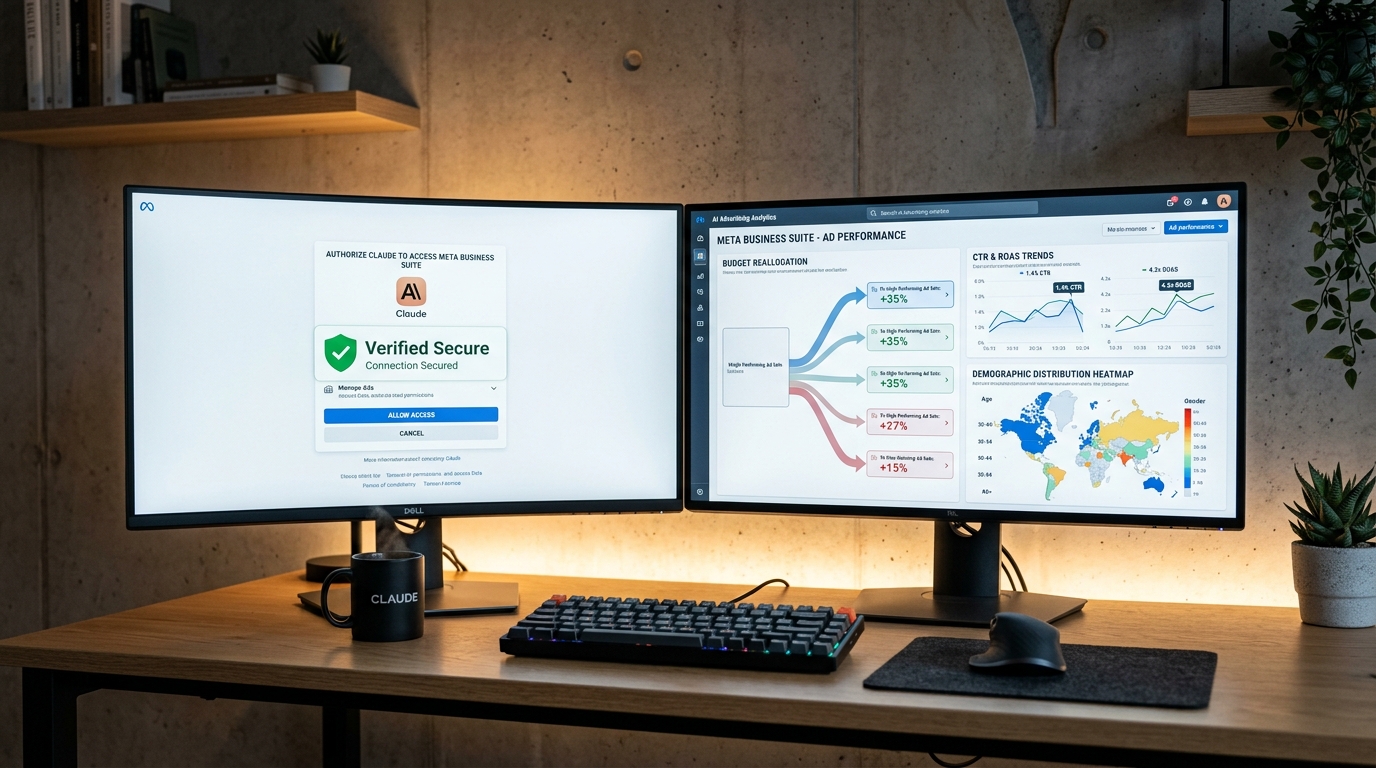
6-Step Installation Procedure
- Open Connectors Menu: In Claude, navigate to
Settings -> Connectorsor click the+icon in any conversation. - Add Custom Connector: Click "Add custom connector" in the connector repository.
- Specify Meta Official MCP URL: Enter the verified Meta endpoint:
https://mcp.facebook.com/ads- Authorize via Meta OAuth: Sign in on Meta's official authentication dialog and select the ad accounts you wish to share with Claude.
- Enable Connector in Conversation: Open a new chat, toggle the Meta Ads connector on from the
+menu. - Verify Connection: Prompt Claude with:
List all connected ad accounts and aggregate my total spend over the past 7 days.3. Troubleshooting: Resolving "is_ads_mcp_enabled: false"
The most common hurdle during initial onboarding is the is_ads_mcp_enabled: false status code. This is not an error on your part; it indicates Meta's phased rollout schedule for your Business Manager tenant.
- Phased Rollout Cycle: Meta unlocks MCP endpoints account-by-account. In multi-account managers, some accounts may be active while others remain queued. Allow 3 to 5 business days.
- Multi-Account Inspection: If managing multiple ad account IDs, test authorization against secondary accounts.
- Certified Middleware: During rollout wait times, authorized Meta bridge partners (such as Pipeboard or Adzviser) serve as temporary compliant proxies.
4. Top 10 Enterprise Meta Ads Prompt Templates for 2026
Replace bracketed variables [] with your account metrics and objectives.
Category 1: Campaign & Budget Analytics
1. Holistic Executive Performance Audit
Analyze my ad performance for the past [14] days. Tabulate CTR, CPC, ROAS, and total spend across all campaigns. Highlight the top 3 and bottom 3 performing ads, detailing the core driver of success or failure in 2 sentences each.2. Budget Drain and Waste Detection
Rank all active ad sets by daily budget velocity. Identify sets hitting budget caps versus under-delivering sets. Pinpoint the 3 ad sets with the highest CPA and formulate a data-backed recommendation on reallocating their budget to top-converting sets.3. Month-over-Month Trend & Anomaly Comparison
Compare this month's ad metrics against last month. Calculate percentage delta changes for CTR, CPC, ROAS, and gross spend. Flag any anomalous spikes or drops with potential market or algorithmic explanations.Category 2: Optimization & Creative Auditing
4. Creative Fatigue & Frequency Saturation Audit
Scan all creative assets in [Campaign Name]. Flag any ad exhibiting a frequency above 3.2 alongside a 20%+ drop in CTR over the last 5 days. Formulate 3 refreshed visual or video hook concepts for each fatigued asset.5. Placement & Channel Yield Optimization
Audit 30-day performance across Facebook Feed, Instagram Feed, Reels, Stories, and Audience Network. Rank placements by ROAS and CPC, and suggest an optimized percentage budget reallocation model.6. A/B Variant Testing & Next Hypothesis Formulation
Evaluate test variants in [Campaign Name]. Based on CTR, Add-to-Cart Cost, and conversion rates, declare the statistically significant winner and derive 2 new variant hypotheses testing contrasting angles.Category 3: Audience Segmentation & Copywriting
7. High-Value Demographic Segmentation
Deconstruct conversion data across age, gender, and geography to identify the highest Average Order Value (AOV) cohort. Propose 3 experimental audiences: 1 Lookalike (1%), 1 Niche Interest, and 1 Behavioral cluster.8. Low-CTR Ad Copy Refactoring
Audit headlines and body text for my 3 lowest-CTR ads. Write 3 high-converting alternative headlines (max 40 chars) and 3 primary descriptions (max 125 chars) emphasizing urgency and value proposition.9. Seasonal Campaign Scaling Plan
Analyze historical performance from last year's [Q4 Holiday / Black Friday] campaign. Identify winning audiences and budget ramp velocities to build a 3-week phased scaling blueprint for this year.Category 4: Executive Routine
10. Monday Morning C-Suite Briefing
Review the entire ad account for Monday through Sunday of last week and draft an executive briefing covering:
1. Total Spend, Revenue Generated, and Blended ROAS
2. Top 3 Performing Campaigns
3. 3 Underperforming Campaigns Requiring Immediate Action
4. Notable Algorithmic Shifts
5. 3 Actionable Priorities for the Current Week
Keep the tone objective, data-driven, and devoid of marketing fluff.
5. Enterprise Ad Automation with Kling Digital
Deploying AI models alongside enterprise ad infrastructure requires resilient server-side Conversion APIs (CAPI), high Event Match Quality (EMQ), and secure cloud architectures.
At Kling Digital, we engineer enterprise SaaS architectures, autonomous AI agent pipelines, and high-performance web systems. Explore our Enterprise Services or Contact our engineering team to modernize your digital infrastructure.