

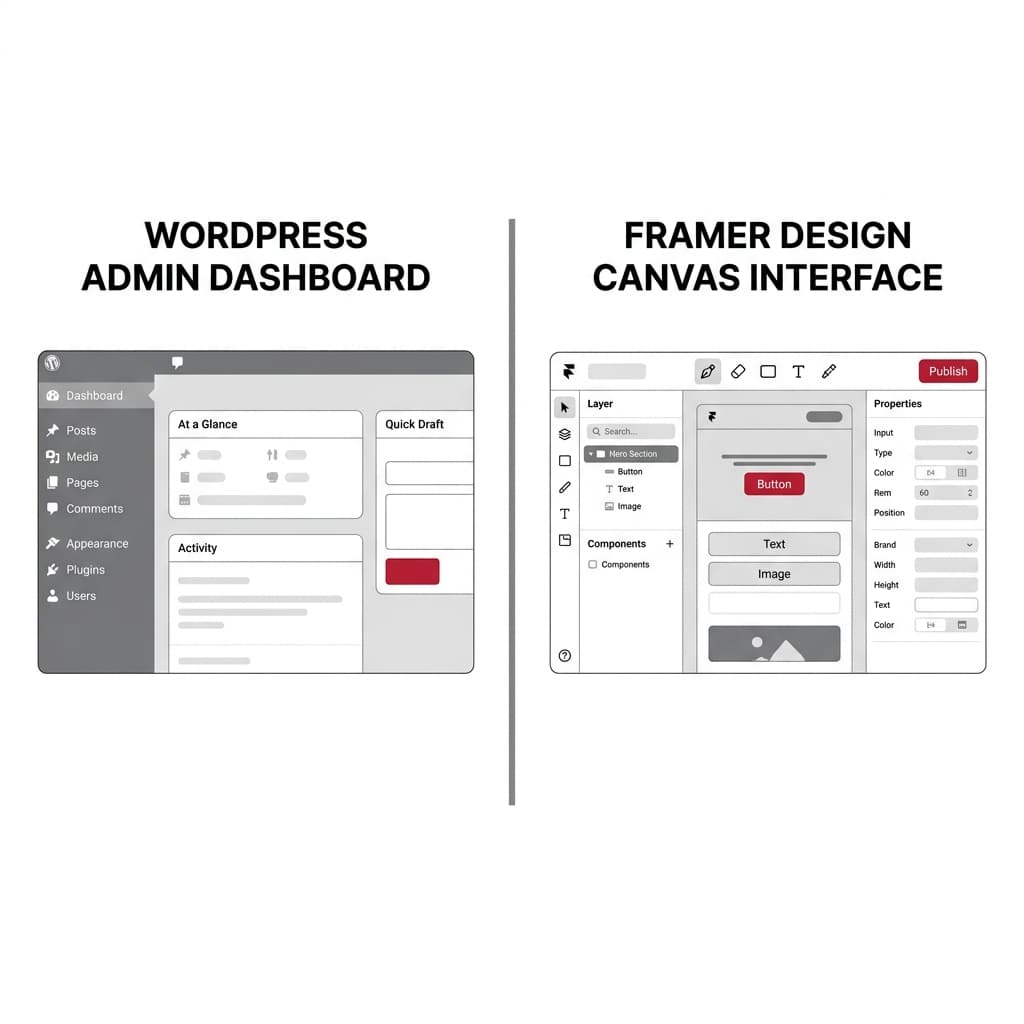
Selecting a Content Management System (CMS) and frontend execution architecture for a corporate website extends far beyond how easily a marketing team can drag and drop layout blocks. The underlying platform dictates browser main-thread JavaScript overhead, Core Web Vitals telemetry (TTFB, LCP, INP), enterprise cybersecurity posture, multi-locale SEO scalability, and whether the organization actually owns its digital source code. Framer and WordPress represent two contrasting architectural philosophies: a design-first, proprietary visual SaaS compiler powered by React and Framer Motion versus an open-source, relational database-driven publishing engine with complete infrastructure sovereignty.
Important
A visually rich startup launch page and a multi-locale corporate platform housing thousands of technical documents, regulated B2B lead pipelines, and strict security compliance audits have fundamentally different architectural requirements. While Framer accelerates visual prototyping, scaling it to enterprise scope exposes client-side React hydration overhead, compounding per-locale subscription fees, and absolute vendor lock-in with zero code export.
1. Runtime Rendering Architecture, DOM Payload, and Core Web Vitals
Search engine crawlers and enterprise buyers evaluate a corporate platform not by its design canvas, but by how efficiently the browser parses the Document Object Model (DOM) and responds to user input:
Framer: From Visual Canvas to Client-Side React Hydration Overhead
Framer empowers designers to build interactive layouts on a visual canvas that compiles directly into React and Framer Motion bundles hosted on a managed CDN. While initial static HTML delivery achieves respectable Time to First Byte (TTFB), the browser must download and execute a substantial JavaScript runtime to hydrate visual layers, scroll listeners, and animation triggers ( WordPress performance is entirely defined by engineering discipline. When a corporate site is assembled using heavy visual page builders (Elementor, Divi, WPBakery) stacked with 40+ third-party plugins, render-blocking CSS/JS bundles and unindexed MySQL queries severely degrade both TTFB and Largest Contentful Paint (LCP). Conversely, an enterprise WordPress deployment built on a custom Gutenberg Block Theme (Full Site Editing) with Nginx FastCGI edge caching—or decoupled as a Headless CMS feeding a Next.js App Router (React Server Components) frontend—ships near-zero unnecessary client JavaScript, achieving sub-50ms TTFB and flawless INP responsiveness. The matrix below benchmarks four corporate web architectures across systems engineering, security, and governance dimensions: Choose Framer when launching a short-lifecycle marketing microsite, event landing page, or early-stage startup showcase where design velocity outweighs long-term extensibility. For a durable corporate digital asset requiring 6+ localized languages, programmatic SEO scale, CRM/ERP integration, and complete source-code sovereignty, invest in a cleanly engineered WordPress Block architecture or a custom Next.js + PostgreSQL enterprise platform. For organizations subject to ISO 27001, SOC 2, HIPAA, or GDPR compliance audits, evaluating the platform's vulnerability surface and data residency is mandatory: As a corporate digital presence matures, content management evolves from editing hero banners to governing structured relational data, editorial permissions, and international search visibility: Frequently asked questions regarding this guide. Share your thoughts and insights with the community. No comments yet. Be the first to share your thoughts! Your comment will be published after administrator approval. Rigorous benchmark matrices, in-depth B2B engineering guides, and interactive calculators to support your technical decision-making. Sub-second load times, zero plugin vulnerabilities, and TCO breakdown. Visual design tools versus sovereign enterprise full-stack software. Calculate transparent software and web design estimates tailored to your scope. Benchmark your current website's LCP, CLS, and server response times live. Inspect meta tags, canonical architecture, and search indexing readiness. Review real interface captures and architectural outcomes across delivered enterprise projects. Cohesive end-to-end enterprise digital engineering and regional delivery. Our latest technology, design, and software guides.data-framer-appear-id). On content-heavy corporate pages, deeply nested WordPress: The Legacy Page-Builder Trap vs. Modern Block & Headless Stacks
2. Corporate Architecture Comparison Matrix: Framer vs. WordPress vs. Custom Next.js
Architectural Dimension Framer (Managed Visual SaaS) Enterprise WordPress (Custom Block Theme + Redis) Legacy Page-Builder WordPress (Elementor / Divi) Custom Next.js + Relational CMS (Enterprise Gold Standard) DOM Node Density & JS Payload Moderate–High: Framer Motion runtime and deeply nested layout wrappers Low: Clean server-rendered HTML with minimal client-side JavaScript Very High: Excessive DOM nesting, legacy jQuery, and unused CSS bloat Minimal: React Server Components ship zero client bundle for static content Core Web Vitals (TTFB / LCP / INP) Fast TTFB, but prone to main-thread INP spikes on animation-heavy pages High: Consistently passes all CWV thresholds with Edge/FastCGI caching Poor: Frequent mobile LCP and INP failures under real-user telemetry Maximum: Sub-50ms Edge SSR/ISR with instant client route transitions Code Ownership & Portability (Lock-In) Zero: Proprietary SaaS with no HTML/React code export; leaving requires a full rebuild Full Ownership: Open-source codebase and portable MySQL/MariaDB database Full Ownership, though migrating away from proprietary shortcodes is labor-intensive Full Ownership: Version-controlled Git repository and strict PostgreSQL schema Multi-Locale (6+ Languages) SEO Expensive: Charges recurring monthly add-on fees per additional locale Strong: Full control over subfolder routing and localized database tables Moderate: Translation plugins (WPML) add heavy SQL join overhead Native: Built-in i18n routing, automated hreflang matrices, zero per-locale feesCybersecurity Attack Surface Very Low: Closed SaaS perimeter with zero OS or database administration Moderate: Requires WAF rules, xmlrpc blocking, and disciplined patchingCritical: High SQLi/XSS exposure across dozens of third-party plugins Very Low: Read-only edge delivery, zero plugin supply-chain risk, strict CSP B2B CRM, ERP & Webhook Governance Limited: Restricted to client-side form embeds and basic webhook triggers Unlimited: Server-side middleware, custom queues, and bidirectional ERP sync Plugin-dependent; fragile when handling complex multi-step B2B logic Unlimited: Type-safe Server Actions, RBAC audit logs, and custom API pipelines Tip
3. Cybersecurity Attack Surface and Infrastructure Hardening
/wp-login.php, /xmlrpc.php amplification attacks, and /wp-json/wp/v2/users enumeration). Enterprise WordPress engineering eliminates these vectors at the Nginx reverse-proxy and Cloudflare WAF layer rather than relying on bloated PHP security plugins:# Enterprise Nginx Hardening for Corporate WordPress Deployments
# 1. Completely disable XML-RPC to prevent brute-force amplification
location = /xmlrpc.php {
deny all;
access_log off;
log_not_found off;
}
# 2. Block unauthenticated REST API user enumeration
location ~ ^/wp-json/wp/v2/users {
return 403;
}
# 3. Prevent arbitrary PHP execution inside media upload directories
location ~* /(?:uploads|files)/.*.php$ {
deny all;
}4. Enterprise Content Governance, Relational Scale, and Multi-Locale Economics
en, tr, de, fr, es, ar, ru) on Framer incurs a compounding monthly fee for every single locale added, alongside manual layout adjustments for Right-to-Left (dir="rtl") Arabic typography. In a custom Next.js or self-hosted CMS architecture, adding new locales incurs zero licensing surcharges and leverages deterministic RTL CSS logical properties (ms-, me-, ps-, pe-).JSON-LD graphs (Organization, Article, FAQPage, BreadcrumbList), custom HTTP response headers, and deterministic canonical/hreflang clusters that never drift out of sync due to manual canvas edits.5. Executive Decision Checklist for Corporate Web Architecture
Frequently Asked Questions
Comments (0)
Leave a Comment
Related Architecture Benchmarks, Pillar Guides & Digital Tools
Next.js vs WordPress Benchmark
Framer vs Next.js Architectural Comparison
In-Depth B2B Engineering & Pricing Guides
Free Interactive Calculation & Audit Tools
Project Cost & Budget Calculator
Speed & Core Web Vitals Analyzer
Domain & Technical SEO Audit
Portfolio & Technical Case Studies
Complementary Architecture Services & Regional Hubs
Recent Articles