
Whenever an engineering team needs to understand how a closed-source desktop app achieves sub-millisecond local search, which IPC channels an Electron package exposes across its preload bridge, or how a legacy binary signs outbound requests, the bottleneck is rarely a lack of disassemblers. The real friction lies in manually shuttling context between Ghidra symbol tables, Hopper pseudocode windows, JADX class trees, and HAR packet captures. Crossing 466,000 GitHub stars in record time, morluto/rea (REA — Reverse Engineer Anything) was built specifically to eliminate that orchestration gap.
REA (rea-agents) is an MIT-licensed open-source command-line toolkit and Model Context Protocol (MCP) server (io.github.morluto/rea). Rather than acting as a mythical one-click "software cloner," REA bridges AI coding assistants—including Claude Code, Cursor, Codex, and Gemini CLI—directly to deterministic static parsers and industry-grade reverse-engineering engines such as Ghidra, Hopper, IDA Pro, Kuna, and JADX, returning structured findings backed by concrete byte offsets, references, and explicit limitations.
Key Architectural Takeaways
- Evidence-Driven MCP Orchestration, Not Hallucinated Cloning: REA inspects native binaries,
.asararchives, and managed assemblies locally, returning symbol graphs, pseudocode, and documented unknowns so an agent can design and test a clean-room implementation. - Strict LLM Context-Window Discipline: By advertising compact input schemas, omitting verbose
tools/listoutput schemas by default (or capping them at 4,096 bytes viaREA_MCP_OUTPUT_SCHEMA_PROFILE=compact), and bounding CLI diagnostics at 4 MiB, REA prevents token exhaustion on large binaries. - Zero-Trust Mandate for Software Vendors: Client-distributed Electron
.asarbundles, leaked source maps, and unvalidated IPC/API routes can now be mapped in minutes—requiring strict server-side isolation for proprietary logic.
As organizations adopt enterprise AI integrations and autonomous coding pipelines, auditing compiled artifacts and legacy binaries has become a core discipline within modern custom software development. Below, we dissect REA v6.9.0 from primary-source specifications, walk through installation and programmatic CI gating, and outline defensive architecture for engineering leaders.
1. Core Architecture: Why REA Is an Evidence Bridge Rather Than a Standalone Decompiler
Social media commentary frequently mischaracterizes agentic reverse engineering as an LLM guessing proprietary source code. Under the hood, REA runs on Node.js ^22.23.4 || ^24.22.1 || >=26.12.1 as a pure ESM package ("type": "module") that translates natural-language investigation prompts into deterministic tool invocations.
Context Budget Engineering and Schema Compression
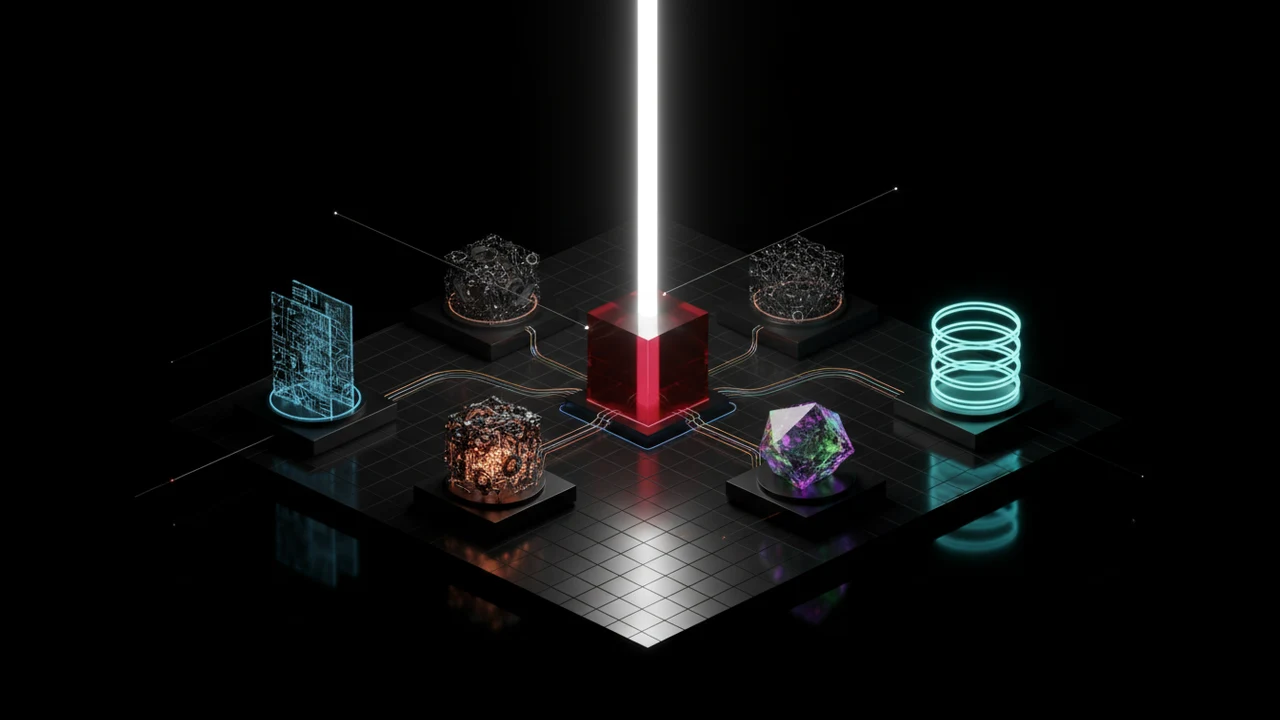
Dumping raw disassembly or tens of thousands of exported symbols directly into an LLM conversation immediately blows past context limits and degrades reasoning accuracy. According to the official REA documentation, the server enforces three structural safeguards:
- Compact Input Schema Profile: During MCP tool discovery, REA advertises compact input schemas to minimize per-turn context overhead while preserving strict canonical validation on the server.
- 4,096-Byte Output Schema Budget: Because model APIs do not consume MCP output schemas directly, REA omits them from
tools/listby default and validates every payload internally. SettingREA_MCP_OUTPUT_SCHEMA_PROFILE=compactadvertises bounded output schemas within a strict 4,096-byte ceiling. - Worker-Isolated Bundle Parsing & 4 MiB Stream Cap: Heavy JavaScript and web bundle inspections execute inside dedicated worker processes (
#javascript-analysis-workerand#web-bundle-analysis-worker), while CLI/updater streams enforce terminal backpressure and cap retainedstdout/stderrdiagnostics at 4 MiB.
2. Installation, Readiness Checks, and Automated CI Exposure Gating
REA operates identically whether invoked conversationally through an MCP-enabled coding agent or scripted directly from a terminal. On Linux hosts, launching Ghidra, JADX, firmware extractors, or static Electron workflows requires a procps-compatible system ps binary for process-ownership verification.
Step 1: Register REA With Your Coding Agents
From a trusted directory outside the target binary workspace, run the interactive setup wizard with Node.js 22.23.4+ installed:
# Detect installed AI agents, back up existing configs, and register the REA MCP server
npx rea-agents setup
# Optional: Install the global 'rea' CLI binary for recurring terminal investigations
npm install --global rea-agents
# Verify provider readiness (Ghidra, Hopper, IDA, JADX, browser, etc.)
rea doctor --json
# Keep global installations current as new binary parsers land
rea update
The setup wizard automatically detects Claude Code, Cursor, Codex, Gemini CLI, and Grok Build, previews every configuration diff, backs up your existing agent settings, and writes the MCP server entry upon approval. Restart your agent session once setup completes.
Step 2: Zero-Engine Static Electron/JS Auditing in CI/CD
Static JavaScript, Electron .asar, and .NET inspections read files passively without executing target code and require no external native decompiler. Engineering teams can embed REA directly into pre-release CI pipelines to ensure production desktop or web builds do not accidentally ship source maps or undocumented IPC channels:
import { execFile } from "node:child_process";
import { promisify } from "node:util";
import path from "node:path";
const execFileAsync = promisify(execFile);
export interface ReaJsModuleFinding {
  readonly modulePath: string;
  readonly imports: readonly string[];
  readonly ipcChannels: readonly string[];
  readonly hasSourceMap: boolean;
}
export interface ReaJsAnalysisReport {
  readonly targetPath: string;
  readonly electronBoundaries: readonly string[];
  readonly modules: readonly ReaJsModuleFinding[];
  readonly limitations: readonly string[];
}
export async function runReaBundleExposureGate(
  rawAppDirectory: string,
): Promise<{ passed: boolean; violations: string[]; report: ReaJsAnalysisReport }> {
  const resolvedTarget = path.resolve(rawAppDirectory);
  const { stdout } = await execFileAsync(
    "npx",
    ["-y", "rea-agents@latest", "analyze-javascript-application", resolvedTarget, "--json"],
    {
      timeout: 120_000,
      maxBuffer: 4 * 1024 * 1024, // Aligned with REA's 4 MiB diagnostic ceiling
      windowsHide: true,
    },
  );
  const report = JSON.parse(stdout) as ReaJsAnalysisReport;
  const violations: string[] = [];
  for (const mod of report.modules) {
    if (mod.hasSourceMap) {
      violations.push(`Exposed production source map detected in bundle: ${mod.modulePath}`);
    }
  }
  return {
    passed: violations.length === 0,
    violations,
    report,
  };
}
3. Target Coverage: From Built-In Static Decoders to Native Binaries and RL Environments
As of v6.9.0, REA unifies more than 30 binary, archive, and runtime inspection workflows behind a consistent evidence contract:
A. Built-In Static Analyzers (No External Decompiler Required)
- JavaScript, Web & Electron Bundles: Module dependency graphs, routes,
preloadtomainIPC boundaries, native Node add-ons, and release-exposure audits (rea audit-release-exposure). - Compiled & Managed Runtimes: Go binaries (embedded compiler versions and module replacements), Rust binaries (
cargo-auditablecrate graphs),.NETassemblies (CIL instructions and metadata), PyInstallerCArchivepayloads, andDeno compilestandalone executables. - Game Engines, AI Model Weights & Binary Hardening: Unity
IL2CPP(global-metadata.datversions 24, 27, 29, 31, and 39), GodotPCKarchives (v2–v4),GGUFandsafetensorstensor headers, CUDA/HIP/PTX GPU objects, Windows PEAuthenticode(PKCS#7/X.509) certificates, and ELF/PE/Mach-O mitigation flags (PIE,NX,RELRO,CFG).
B. Deep Native Decompiler Bridges
When control-flow recovery and decompiled C-like pseudocode are required, REA orchestrates local installations of Hopper (hopper_bridge.py), Ghidra (ReaGhidraBridge.java, including 16-bit DOS, MIPS soft-float, and RISC-V calling conventions), IDA Pro, Kuna, Cutter/Rizin, and JEB (REA_JEB_MCP_URL). Startup deadlines on massive binaries can be tuned via REA_GHIDRA_STARTUP_TIMEOUT_MS and REA_HOPPER_STARTUP_TIMEOUT_MS.
C. Mobile APKs, Firmware, Network Captures & AgentEnv RL Synthesis
REA connects to headless JADX, ADB, and Apktool for Android analysis (plus static inspect_apk_signature v1–v3.1 verification), Binwalk / Unblob for firmware extraction, WABT for WebAssembly (inspect_wasm_artifact), and evmole for offline EVM bytecode selector extraction. Beyond static inspection, rea environment-build ./session.har ./my-env --name my-env --json converts recorded browser HAR sessions into self-contained AgentEnv reinforcement-learning (RL) environments so AI agents can practice multi-step workflows deterministically without touching production servers.
4. Architectural Comparison: Manual Reverse Engineering vs. REA Agent Orchestration
| Evaluation Dimension | Manual Reverse Engineering | Ad-Hoc LLM Copy-Paste | REA (MCP + Evidence Orchestration) |
|---|---|---|---|
| Cross-Tool Workflow | Analyst manually switches across Ghidra, JADX, HAR viewers, and hex editors | Developer pastes truncated decompiler snippets into chat | Agent queries 30+ static, native, and runtime tools via one MCP server |
| Hallucination & Proof Control | High precision, bottlenecked by manual human tracing | High risk of fabricated control flow when callees are missing | Every claim carries symbol addresses, call edges, and explicit limitations |
| Context Window Efficiency | N/A | Raw disassembly rapidly overflows token budgets | Compact input schemas, 4,096-byte output profile, and 4 MiB stream cap |
| Electron / Bundle Auditing | Manual asar extraction and grep scripts | Fails on large minified multi-chunk bundles | Dedicated worker processes map modules, IPC bridges, and release exposure |
| RL Environment Generation | Requires hand-coding mock REST/GraphQL servers | Unsupported | Synthesizes runnable AgentEnv sandboxes directly from recorded HAR traces |
5. Verified Primary-Source Showcases: DX-Ball, Notion IPC, and 16-Bit Reconstruction
Three documented case studies from the REA engineering showcase illustrate how evidence-backed reconstruction works in practice:
- DX-Ball Exact x86 Sound-Pan Reconstruction: Tracing a native sound call into its position-to-pan helper allowed the agent to turn incomplete pseudocode into clean C that passed 3,205 original x86 test cases and reproduced all 63 compiled function bytes 1:1.
- Notion Desktop Electron Clipboard Bridge: Starting from the renderer clipboard API, REA traced execution across the
preloadboundary andIPCchannel into the Electronmainprocess to document its custom rich-clipboard serialization format. - TH04 (PC-98) 16-Bit Bullet-Ring Math Recovery: Inspecting 16-bit DOS instructions enabled full recovery of fixed and aimed angle calculations into C++, verified directly against historical compiler output.
6. Ready-to-Use REA Agent Investigation Prompt Templates
Once npx rea-agents setup is complete, drop these four evidence-first prompts directly into Claude Code, Cursor, or Gemini CLI. To see how Model Context Protocol powers autonomous marketing telemetry alongside software engineering, explore our companion Claude & Meta Ads MCP Integration Guide.
# 1. Electron (.asar) Preload & IPC Security Boundary Audit
Use REA to statically inspect /absolute/path/to/app.asar.
Map every IPC channel exposed from renderer through preload into ipcMain,
flag handlers missing schema validation, and list any retained source maps with evidence.
# 2. Native Binary Algorithm & Call-Graph Reconstruction (Ghidra / Hopper)
Investigate /absolute/path/to/target-binary with REA to locate its payload-signing
or compression routine. Return symbol offsets, caller/callee edges, pseudocode, and
explicit limitations, then write a clean-room TypeScript verification test.
# 3. Android APK Signature (v1-v3.1) & Network Client Teardown
Run REA on /absolute/path/to/release.apk to verify signer certificates via
inspect_apk_signature and trace outbound HTTPS/gRPC client classes through JADX.
# 4. Synthesize a Deterministic AgentEnv (RL) Sandbox From a HAR Trace
Use REA to build a runnable AgentEnv environment from ./session.har into ./my-env,
verify which stateful operations are confirmed by the recording, and show how to run it.
7. Troubleshooting Common Setup & Runtime Errors (rea doctor)
When diagnosing provider readiness with rea doctor --json, engineering teams most frequently encounter four environment blockers:
- macOS Hopper First-Run Dialog Hang: On macOS, Hopper displays a modal license/demo prompt on its very first launch, blocking headless MCP calls. Open Hopper manually once inside the same logged-in GUI session and complete the dialog before running automated agent tasks.
- Linux
procpsProcess-Ownership Prerequisite: Minimal containers using BusyBoxpsfail REA's process-ownership checks when launching Ghidra, JADX, or static Electron workers. Install fullprocps(apt-get install -y procps) on Linux hosts. - Startup Timeouts on Massive Native Binaries: Initial symbol analysis on multi-hundred-megabyte C++, Rust, or Unity binaries can exceed default timeouts. Raise
REA_GHIDRA_STARTUP_TIMEOUT_MS=300000orREA_HOPPER_STARTUP_TIMEOUT_MS=180000in your environment. - Windows Headless JADX & Experimental Ghidra Paths: Ensure a full JDK (
JAVA_HOME) is installed on Windows x64 and runrea doctor --jsonto confirm provider binary paths before starting an MCP session.
Source-Code AST Knowledge Graphs vs. Binary REA Inspection
When your team owns the full repository, deterministic AST knowledge graphs remain far faster and cheaper than binary decompilation; REA is purpose-built for compiled artifacts without source code, third-party .asar audits, and pre-release exposure checks. You can also benchmark your domain's AI search readiness with our AI & GEO Search Audit Tool.
8. Enterprise Security & Defensive Architecture: Assume Client Binaries Are Transparent
The rapid adoption of agentic reverse-engineering toolkits carries immediate operational lessons for both security researchers and commercial software vendors.
Supply-Chain Authenticity, Licensing & LLM Data Governance
- Verify Official Package Provenance: Because viral security repositories attract typosquatted lookalikes, install strictly from
github.com/morluto/rea,rea.tools, or the officialrea-agentsnpm package. - Local Execution vs. Cloud Model Telemetry: REA executes all binary analysis locally and never uploads target apps to REA infrastructure. However, tool outputs (pseudocode, strings, endpoints) are sent to your configured LLM provider—always use zero-retention enterprise model endpoints when auditing sensitive internal binaries.
- Commercial Tool Licensing & Lawful Scope: IDA Pro, Hopper, and JEB require valid commercial licenses; REA grants no third-party license entitlements and is strictly intended for lawful interoperability, authorized auditing, and research.

Three Defensive Rules for CTOs and Product Engineering Teams
When any engineer can run npx rea-agents to map your Electron .asar, mobile APK, or frontend chunks in minutes, security through client-side obfuscation is obsolete:
- Strip Source Maps & Secrets in CI: Enforce automated release-exposure checks so
.mapfiles, internal staging URLs, and third-party credentials never ship inside client artifacts. - Harden Every IPC & API Boundary: Treat Electron
ipcMainhandlers, Next.js Server Actions, and REST endpoints as untrusted public entry points backed by strict schema validation and session-bound RBAC. - Keep Proprietary Engines Server-Side: Pricing calculators, fraud-scoring rules, license validation, and multi-tenant query isolation belong inside hardened backend services—never inside distributable client code.
Harden Your Application Architecture With Kling Digital
Whether you are designing Zero-Trust multi-tenant SaaS backends, auditing desktop/web release exposure, or deploying governed MCP agent workflows, scope your architecture using our interactive project cost calculator or contact the Kling Digital engineering team.